From manual invoice entry to an automated data flow
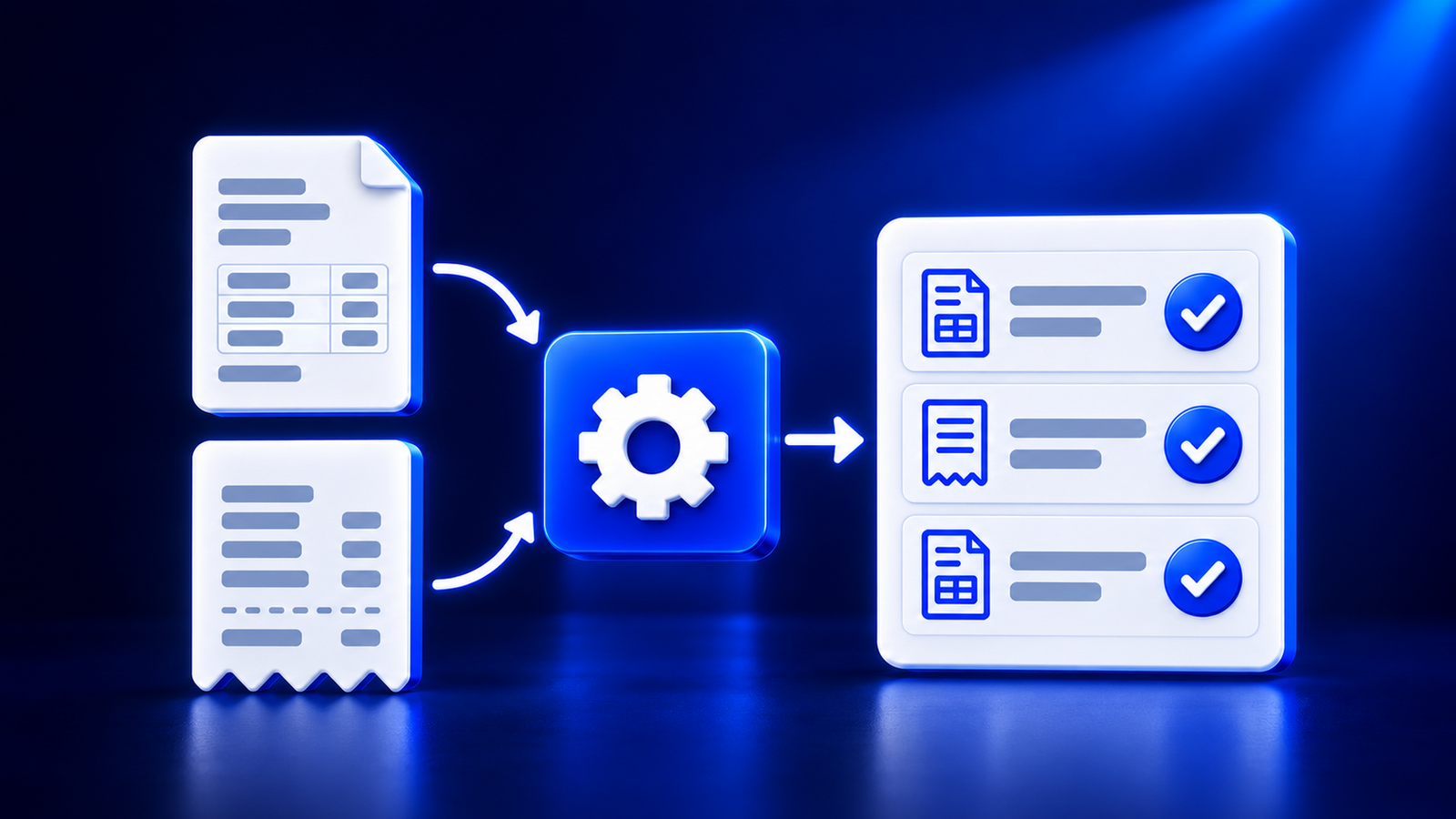
Invoice processing automation means that invoice, receipt, and PDF data are read using OCR, verified, and prepared for the accounting software without retyping. Manual data entry in accounting takes time and causes errors, whereas in an automated workflow, the accountant reviews the result and handles only exceptions. The decision on each document is still approved by a human.
Where manual entry loses time
Manual data entry in accounting consists of small tasks that repeat with each document:
Retyping. Supplier, number, date, amounts, and VAT are entered manually from a PDF or receipt.
Details. Company, VAT payer, and IBAN data must be checked separately.
Errors. One wrong digit in an amount or VAT code is often discovered only at the end.
Duplicates. The same invoice may be entered twice.
Transfer. Data still needs to be placed into the accounting software, and every extra step is another opportunity for errors.
Most of this work can be entrusted to software, leaving time for analysis and client consultations.
What automated invoice processing looks like
An automated workflow starts with a document and ends with prepared data:
Receiving. Invoices, receipts, and PDFs arrive in one place.
Reading. Invoice OCR recognition extracts the supplier, number, dates, amounts, and VAT. Receipt recognition for accounting works on the same principle.
Verification. The system compares amounts, VAT, and IBAN, and checks companies and VAT payers in Latvian registries.
Posting suggestion. The program suggests posting accounts and VAT codes.
Human review. The accountant compares the result with the original, corrects inaccuracies, and approves.
Export. Approved data is passed to the accounting software, payment file, or via REST API.
Invoice entry into the accounting software becomes a verification rather than retyping.
What checks happen automatically
Automated checks find problems before the document reaches accounting:
Amounts and VAT. Line amounts, total sum, and VAT are compared against each other.
IBAN. It is checked whether the bank account number is correct, detecting fraud attempts.
Company and VAT payer. Details are compared with Latvian registry data.
Postings and VAT codes. The system offers an option that the accountant can accept or change.
What is still checked by a human
Automated accounting does not mean that a human no longer checks. Attention shifts to areas where it is more valuable:
Read fields. OCR results depend on document quality, especially for receipts and photos.
Posting and VAT code. The suggestion is an aid, and responsibility for bookkeeping remains with the accountant.
Unusual transactions. Advances, credit notes, and foreign suppliers.
Duplicates. Care must be taken so that a single invoice is not approved twice.
How to add e-invoices to the same workflow
An e-invoice is a structured file, so OCR is not needed. Verifications and posting suggestions can remain the same. Both types must be processed in a single workflow: PDFs and receipts via OCR, e-invoices as ready data.
E-invoices will become mandatory between businesses on January 1, 2028, and with budgetary institutions already as of January 1, 2025 (Ministry of Finance). Channels and preparation are explained in the article E-invoices in Latvia: what you need to know by 2028.
How to choose an invoice processing automation solution
When choosing a solution, it is worth checking:
Document types and languages. Whether it supports invoices, receipts, and PDFs in Latvian, English, and other EU languages.
Verifications. Whether amounts, VAT, IBAN, and company details are checked.
Human control. Whether it is visible what was read and whether data can be edited before approval.
Export. Whether data reaches the used accounting software, payment file, or via API.
E-invoices. Whether an e-invoice can be created and sent to an e-address or within the Peppol network.
Data security. Where documents are stored and whether they are not used for AI training.
Trial. Whether quality can be tested on your own documents.
Formats, export, and security are explained on the FAQ page.
How Doctile supports this workflow
Doctile reads invoices, receipts, and PDFs with OCR, checks amounts, VAT, IBAN, company, and VAT payer, suggests postings and VAT codes, and prepares data for export. The user reviews the read data before approval. Doctile also creates an e-invoice and sends it to the recipient's e-address or Peppol network. Suitable for accounting firms and enterprises.
Frequently asked questions
What is invoice processing automation?
Invoice processing automation is a process where invoice, receipt, and PDF data are read using OCR, verified, and prepared for the accounting software without retyping. The program performs routine work, while the accountant reviews the result and approves it. It reduces manual data entry in accounting, helps notice errors earlier, and gives time for control.
How does invoice OCR recognition work?
OCR reads text from a PDF or image and organizes it into fields: supplier, invoice number, dates, amounts, and VAT. Afterward, the system checks whether amounts and details match. The read data is reviewed by the user and corrected if necessary before it reaches accounting, so errors are not adopted automatically.
Is receipt recognition for accounting as reliable as for invoices?
Receipts are small, with fine print and various layouts, so reading quality depends more on the document itself. A clear receipt is read better than a crumpled or faded one. Therefore, the amount, VAT, and supplier must be reviewed by a human before approval, just like with any other document.
Does automated accounting work without human review?
No, it does not. An automated workflow prepares data and points out discrepancies, but the decision regarding the posting, VAT code, and approval is made by the accountant. Human time shifts from retyping to resolving exceptions, ambiguities, and unusual cases. Responsibility for bookkeeping remains with the user and the company, not the program.
How does invoice entry into the accounting software happen after reading?
After approval, data is prepared for export to the accounting software, payment file, or for transfer via REST API. Export options depend on the specific program, so before choosing, you should check whether the required format is supported and whether it can be tested on your sample documents.
How do e-invoices fit into the automated workflow?
An e-invoice is a structured file, so OCR is not needed, but verifications and posting suggestions remain the same. E-invoices will become mandatory between businesses on January 1, 2028. Doctile can create an e-invoice and send it to the recipient's e-address or Peppol network, and the user reviews the result before sending.
accountants, accounting firms, automated accounting, e-invoices, invoice processing, manual data entry, OCR, receipt recognition, SME